The Game of Life 2
Marmalade Game StudioBoard
4.53.22K Reviews
- Version
- 1.0.5
- Installs
- 500.00K
- Age Rating
- Everyone
Screenshots
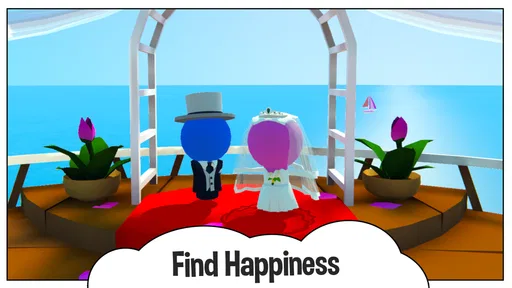
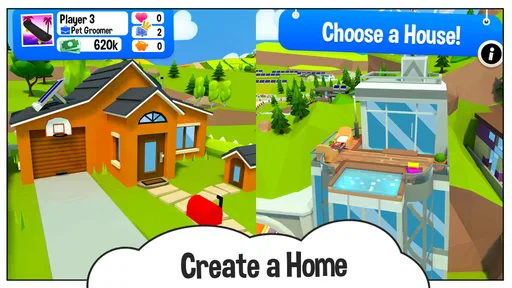
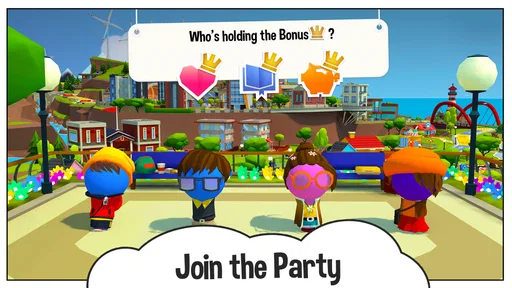
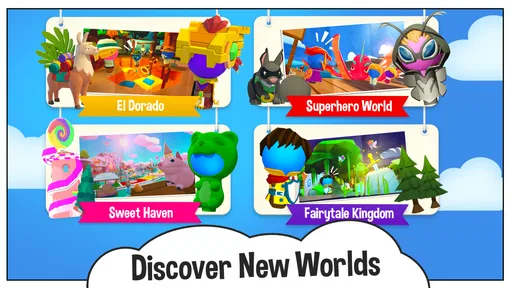
Our Review of The Game of Life 2
 Analysis by Appyee
I’ve found that The Game of Life 2 works best when I treat it as a shared, lighthearted board-game session rather than a deep strategy game. The appeal is in watching different choices shape a run, trading reactions with other players, and seeing where the board takes everyone. If you want a familiar game-night feel without setting up a physical board, it can be an easy fit. If you’re mainly looking for intricate tactics or a brisk game you can finish in a spare minute, I’d look elsewhere.
A sensible routine for starting a game
My usual approach is to decide who is playing before getting caught up in character customization. The game supports up to four players online or locally, so it can suit a small group, but the mood is different depending on whether people are together or joining remotely. With friends in the room, I’d pass the device around and let the board provide the activity; online, I’d make sure everyone is ready to stick with a full session before starting.
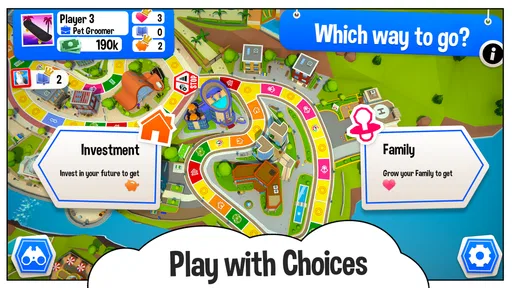
Once a run begins, I try to think of choices as a theme for that playthrough rather than hunting for one perfect route. College, career, family, and leisure options give the journey its personality, while life tokens and the final score give decisions a competitive edge. Picking a different kind of life on a later run is a straightforward way to keep repeat games from feeling identical.
Small habits that make the session smoother
Character customization is enjoyable, but it can also delay the part everyone came to play. When I’m with a group, I keep the first setup simple and save experimenting with a peg’s look for a solo session or a rematch. That small habit helps avoid turning the opening into a long debate over outfits and vehicles.
I also treat the mini-games as part of the shared rhythm, not merely a way to chase in-game cash. They can create a quick change of pace during a longer board journey, and they give players another moment to react to one another. If your group prefers uninterrupted turns, though, these diversions may feel like a pause rather than a bonus.
What to expect from solo and group play
Playing against AI opponents is useful when nobody else is available, and it lets me explore a route at my own pace. It does not recreate the table talk or playful rivalry of a group, so I see solo mode as a convenient alternative, not a replacement for playing with people. The AI can still make a run feel competitive, especially when I’m paying attention to the score and life tokens.
For a family evening, this is a better choice when the group enjoys taking turns and talking through decisions than when everyone wants fast, continuous action. The Everyone age rating makes its broad audience clear, while the bright presentation and recognizable board-game premise help newcomers understand the basic appeal. The Game of Life 2 is a board game from Marmalade Game Studio, and its digital format is particularly handy when friends or relatives are not in the same place.
Where the digital version earns its place
Compared with a physical board game, the app handles the board, animations, and game pieces on-screen, so there is no table setup to manage. That convenience comes with a trade-off: the tactile pleasure of moving pieces and handling a real board is gone, and playing together on a device is not the same as gathering around a table. Compared with simpler mobile board games, this one puts more emphasis on life-path decisions and presentation than on a quick, abstract contest.
The game is available for $4.99, with in-app purchases ranging from $0.99 to $34.99 per item. I’d treat the base purchase as the starting point and decide whether extra content matters to your group before spending more. If you only plan to play occasionally, it makes sense to try the included experience first; if a particular board variation or customization option is what keeps your group returning, weigh that interest against the additional cost.
Embarking on the Journey
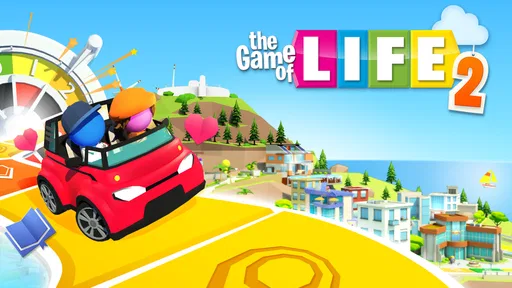
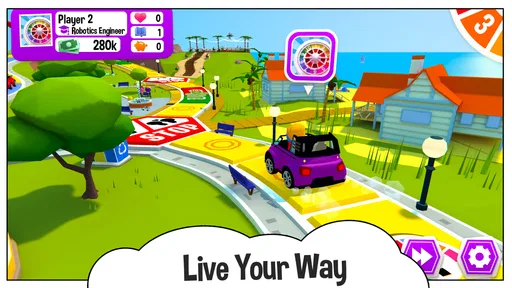
From the moment you launch The Game of Life 2, you’re greeted with a colorful and intuitive interface. The digital board is a delight to look at, and it immediately draws you in with its lively animations and charming design. The game starts with the familiar setup—get yourself a career or head to college. But here’s where the game adds its own twist: the choices are more diverse, and there are new paths to explore.
What’s really cool is that you can personalize your peg character. Want to ride a scooter or drive a car? The choice is yours. I found myself spending a little too much time just customizing my avatar, but hey, it’s all part of the fun!
Choices and Consequences
One thing that stands out in this version is how much your choices matter. As you progress, you’ll encounter a variety of crossroads—get married, buy a house, start a family, or even avoid all that and pursue a life of leisure. Each decision affects your game progress and ultimately your score. It’s a brilliant way to keep things fresh and engaging.
The game has added some neat mini-games too. They’re quick, fun, and a great way to earn some extra cash in the game. It’s like getting a little bonus every now and then. These mini-games add a layer of excitement, especially when playing against friends or family.
Multiplayer Fun
Speaking of playing with others, the multiplayer aspect is where The Game of Life 2 really shines. You can play with up to four players online or locally. The online mode works smoothly, and I didn’t experience any lag, which is a major plus. It’s a fantastic way to connect with friends, especially if you’re miles apart. There’s something satisfying about seeing your friends’ avatars make their way across the board, trying to beat you to retirement riches.
The game also offers a single-player mode against AI opponents. While it’s not quite the same as playing with real people, the AI is surprisingly good and offers a decent challenge.
A Visual Treat
I can’t stress enough how visually pleasing The Game of Life 2 is. The developers have done a stellar job with the graphics, making every corner of the board pop. The animations are smooth, and there are loads of little details that make the game feel alive. Whether it’s the way the trees sway or the sparkle of the water, it’s clear that a lot of love went into designing this digital version.
The sound design complements the visuals perfectly. From the background music to the sound effects, everything is on point, adding to the overall immersive experience.
Life Tokens and Unlockables
As you journey through the game, you’ll collect life tokens that represent achievements and milestones. These are not just for show—they add to your score and can unlock new content. It’s a clever way to encourage exploration and trying different paths every time you play.
There are also various unlockables to keep you hooked. New vehicles, outfits, and even board variations become available as you progress, ensuring that no two games are exactly alike.
Who should choose this board game?
I’d recommend it to people who like making playful, consequential choices and comparing how different routes turn out. It suits families, friends who already enjoy the physical board-game format, and anyone who wants a colorful shared activity that can also be played solo against AI. It is less compelling for players who want finely balanced strategic decisions: the choices give a run character, but chance and the board-game structure remain central to the experience.
A realistic use for it is a relaxed evening when one or two friends are visiting and nobody wants to spend time unpacking a full game. You can start a local session, customize quickly, and let the turns create conversation. For a remote catch-up, online play offers a way to share the same game despite the distance. I would not choose it for a short commute or a five-minute break, since the enjoyment depends on having enough time and attention to follow a whole group session.
Settings and practical trade-offs
Before inviting a group, I’d check the available game setup and make sure the chosen way of playing suits everyone. The useful habit is not to assume that online and local play feel interchangeable: local play has the advantage of being in the same room, while online play is more convenient for separated friends. If someone is new to the game, explaining that choices influence progress and scoring before the first turn can prevent the early decisions from feeling arbitrary.
The game’s purchase price is not the only spending consideration, because optional in-app items are also available. I’d agree with a family or group in advance that purchases are not part of the session unless everyone is comfortable with them. That keeps unlockables from becoming a distraction and makes it easier to judge the basic game on its own merits. The current version is 1.0.5, and it runs on Android 6.0 or later.
What repeat players can get out of it
For repeat sessions, I get more value by changing my approach instead of trying to reproduce a previous winning path. One game can be about pursuing a career route; another can lean into a different set of life choices. Paying attention to life tokens alongside the final score also gives experienced players a reason to explore, rather than treating every turn as a race toward one obvious outcome. I find that this works best when the group is happy to compare decisions, not just declare a winner and move on.
There is a limit to that replay appeal. Unlockables and alternate board variations can add reasons to return, but the core loop still revolves around progressing along a board and responding to decisions. If you want a game that changes its rules dramatically between sessions, or one that rewards extensive planning and precise control, a more strategy-focused board game will probably be a better fit. This is a pleasant social game first, not a substitute for a demanding tabletop challenge.
A grounded recommendation
The game has an average rating of 4.6 from around 20,000 ratings, and it has been installed over 500,000 times. Those figures suggest that its mix of familiar board-game structure and modern presentation has found an audience, but they do not change the practical question: will your household or friend group actually sit down for a full session? I’d make that the deciding factor rather than the number of customization options or the promise of unlockables.
In a nutshell, The Game of Life 2 is a delightful reimagining of the classic board game. It’s engaging, visually stunning, and offers just the right amount of strategic gameplay. Whether you’re playing solo or with friends, it’s a joyous ride from start to finish. If you’re looking for a game that’s both familiar and refreshingly new, this app is definitely worth a download. So, grab your phone, spin the wheel, and embark on your own digital life journey—who knows where it’ll take you?
Verdict
Strengths of The Game of Life 2
- Enhanced graphics and animations.
- Multiple game modes available.
- Family-friendly and educational.
- Customizable avatars and vehicles.
- Cross-platform multiplayer support.
Limitations of The Game of Life 2
- In-app purchases can be pricey.
- Requires constant internet connection.
- Limited offline features.
- Occasional lag in multiplayer mode.
- Some features locked behind paywall.
Other Releases by Marmalade Game Studio
View All
Clue: Classic Edition
Board4.6

MONOPOLY
Board4.1

Exploding Kittens®
Card4.4

Mouse Trap: Hasbro Board Game
Board4.6
Similar Picks in This Category
View All
Ludo King®
Gametion4.1

Ludo
Yarsa Games4.6

Tile Master® - Matching Game
Higgs Studio3.6

Checkers Online
CC Games4.6

Dominoes
Loop Games4.7

Chess
Chess Prince4.6
Frequently Asked Questions
What are the main features of The Game of Life 2?
The Game of Life 2 offers a modern twist on the classic board game, featuring new life paths, enhanced graphics, and interactive gameplay. Players can explore various career options, customize their avatars, and make life choices that impact their in-game success. The game also includes multiplayer modes, allowing friends and family to join the adventure online or offline.
Is The Game of Life 2 suitable for children?
Yes, The Game of Life 2 is family-friendly and suitable for children. The game has a colorful, engaging design and simple controls that make it accessible for younger players. However, it may require parental guidance to help children understand strategic aspects and decision-making processes involved in the game.
How does multiplayer mode work in The Game of Life 2?
The multiplayer mode in The Game of Life 2 allows players to connect with friends and family either locally or online. You can invite others to join your game session or compete against random players worldwide. The game includes chat features and easy matchmaking, making it simple to set up a game with others.
What are the system requirements for The Game of Life 2?
The Game of Life 2 is available on both Android and iOS platforms. For Android devices, it requires version 5.0 and up, while iOS devices need iOS 10.0 or later. Ensure your device has enough storage space for the game, as it includes high-quality graphics and interactive elements that might require additional resources.
Are there any in-app purchases in The Game of Life 2?
Yes, The Game of Life 2 includes in-app purchases that offer additional content such as new game boards, customization options, and exclusive themes. While these purchases can enhance the gameplay experience, they are optional, and the core game can be enjoyed fully without them. Always ensure in-app purchases are disabled if children are playing.
Play our best games!


